Speaker Test Online: Check Speakers & Headphones Free in Browser (2026)
Speaker test online: Check speakers & headphones instantly — test left/right channels, frequency response 20Hz-20kHz. Free browser audio diagnostic, no install needed!
Speaker test online tools diagnose audio problems in seconds without installing software. Is your left channel louder than your right? Do your headphones sound muffled, tinny, or completely silent on one side? A free browser-based evaluation identifies hardware issues, balance problems, and frequency response limitations instantly — no drivers to install, just your web browser and any connected audio device.

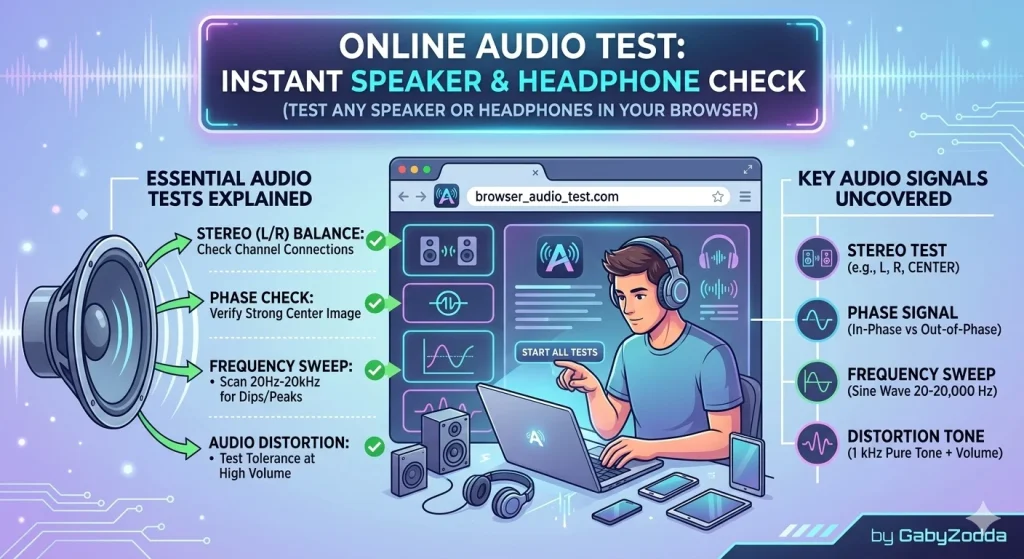
Browser-based audio diagnostic displaying frequency sweep and channel isolation controls
🔊 Free Audio Diagnostic Tool
Evaluate your speakers and headphones right now — tone generator, channel check, frequency sweep from 20Hz to 20kHz.
What the Audio Diagnostic Checks
A comprehensive speaker test online evaluates multiple aspects of your audio setup through browser-based tone generation and channel isolation.
| Diagnostic Feature | What It Detects | When to Use It |
|---|---|---|
| Left/Right Channel Isolation | Independent channel operation and volume balance | One side sounds quieter or silent |
| Frequency Sweep (20Hz–20kHz) | Full spectrum reproduction capability | Muffled, thin, or missing frequencies |
| Tone Generator | Specific frequency output for targeted testing | Checking bass, mid, or treble response |
| Volume Balance Meter | Confirming equal output levels | Perceived loudness differences |
How to Test Your Sound System in 3 Steps
Running a speaker test online requires no technical expertise. Follow this simple process:
Human Hearing Frequency Range Guide
Understanding frequency ranges helps interpret your speaker test online results and identify hardware limitations.
| Frequency Range | Audio Classification | Example Sounds |
|---|---|---|
| 20–80 Hz | Sub-bass/Infrasonic | Deep kick drums, rumble — felt more than heard |
| 80–250 Hz | Bass | Bass guitar, lower male vocals, punch |
| 250–2,000 Hz | Midrange | Human speech, vocals, most instruments |
| 2,000–8,000 Hz | Upper midrange | Speech clarity, consonants, detail definition |
| 8,000–20,000 Hz | Highs/Treble/Air | Cymbals, shimmer, spatial ambience |
Common Audio Issues & Troubleshooting Solutions
Your speaker test online results point to specific problems with straightforward fixes:
- Single channel silent: Check OS audio balance settings — Windows and macOS allow panning left or right. Also inspect cable connections and 3.5mm jack insertion depth
- Muddy or thin sound: Reset EQ settings to flat. Many “enhancement” presets cut critical frequencies. Disable spatial audio effects temporarily
- Crackling or popping artifacts: Usually indicates loose connections, damaged driver cones, or failing Bluetooth codecs. Try wired connections first
- Missing low bass: Laptop speakers and small earbuds physically cannot move enough air for frequencies below 100–150Hz. This is normal hardware limitation, not defect
Frequently Asked Questions About Browser Audio Testing
Video: Complete Audio Testing Tutorial
For technical specifications on web audio APIs, see MDN Web Docs on Web Audio API — the authoritative developer reference.
